
Retire the carbon pad.
Vane replaces the work order pad, the whiteboard and the group text with one app your office and your crew share. The call gets booked, the tech gets the job on their phone, and you get paid before they're back in the van.
$169 a month for your first 12 months, then $199. No card needed to hold your spot.
One service call, from the phone ringing to paid.
Anchor Heating & Air is the sample company in our live demo. This is a real Wednesday call on their calendar, and every screen below is the actual app.
-
17:12 amOffice
The call comes in
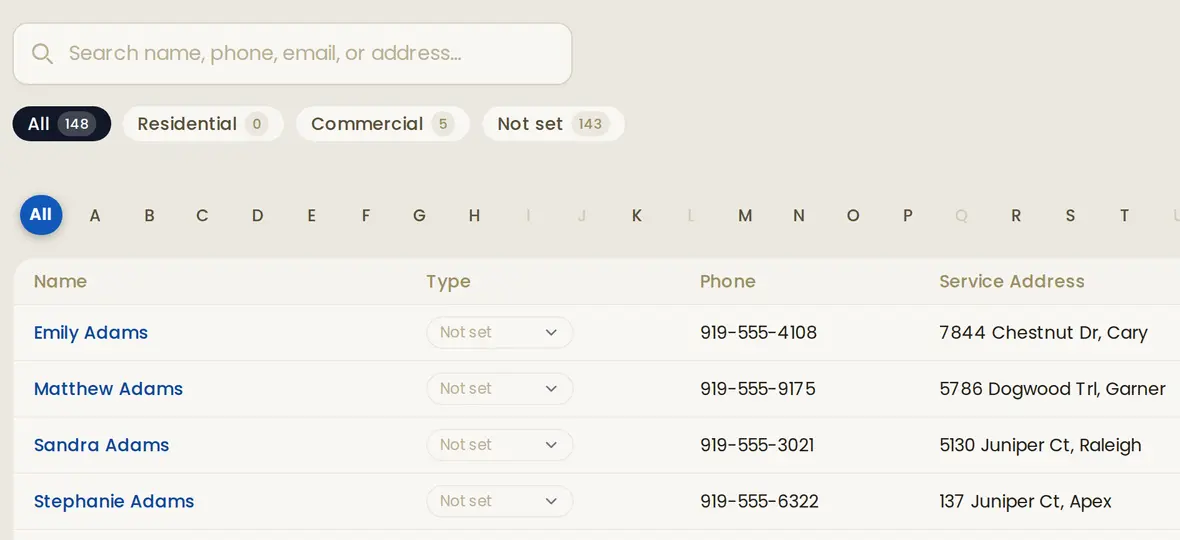
Tom Bracewell wants his furnace looked at before the first cold snap. Type part of his name, phone number or street, and his record comes up with his address, equipment and every past visit.
-
27:18 amOffice
Booked around the drive
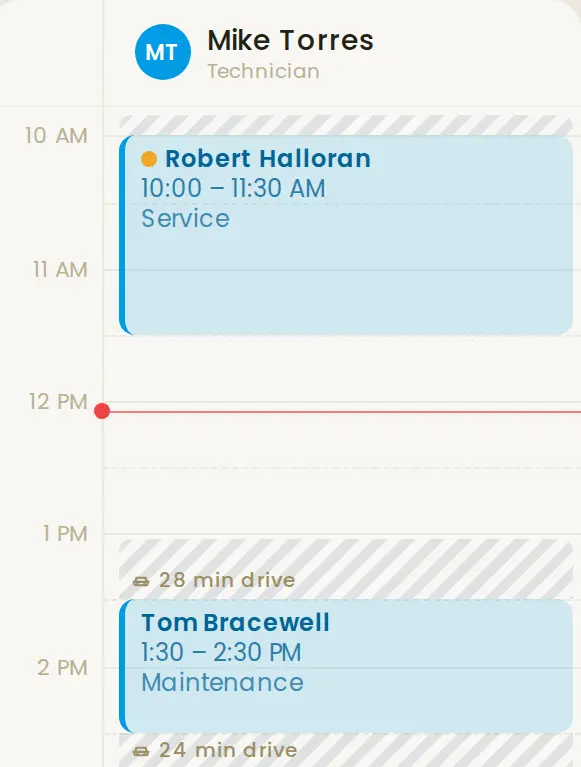
Mike is in Cary with Robert Halloran until 11:30, so Tom goes on at 1:30. Vane works out the real drive between the two jobs, 28 minutes, and shows it right on the calendar. It also flags a job whose parts aren't on the shelf.
Drag to move it. Customers are only texted when you say so.
-
37:19 amCustomer
Tom knows when
A text and an email go out with the arrival window, under your business name. Another goes out the day before, so fewer trucks pull up to an empty house.
Text from Anchor Heating & AirHi Tom, you're booked with Anchor Heating & Air on Wednesday, 1:30 to 2:30 pm. Mike will be your technician.Drawing of the appointment text.
-
49:40 amCrew
Mike's day is on his phone
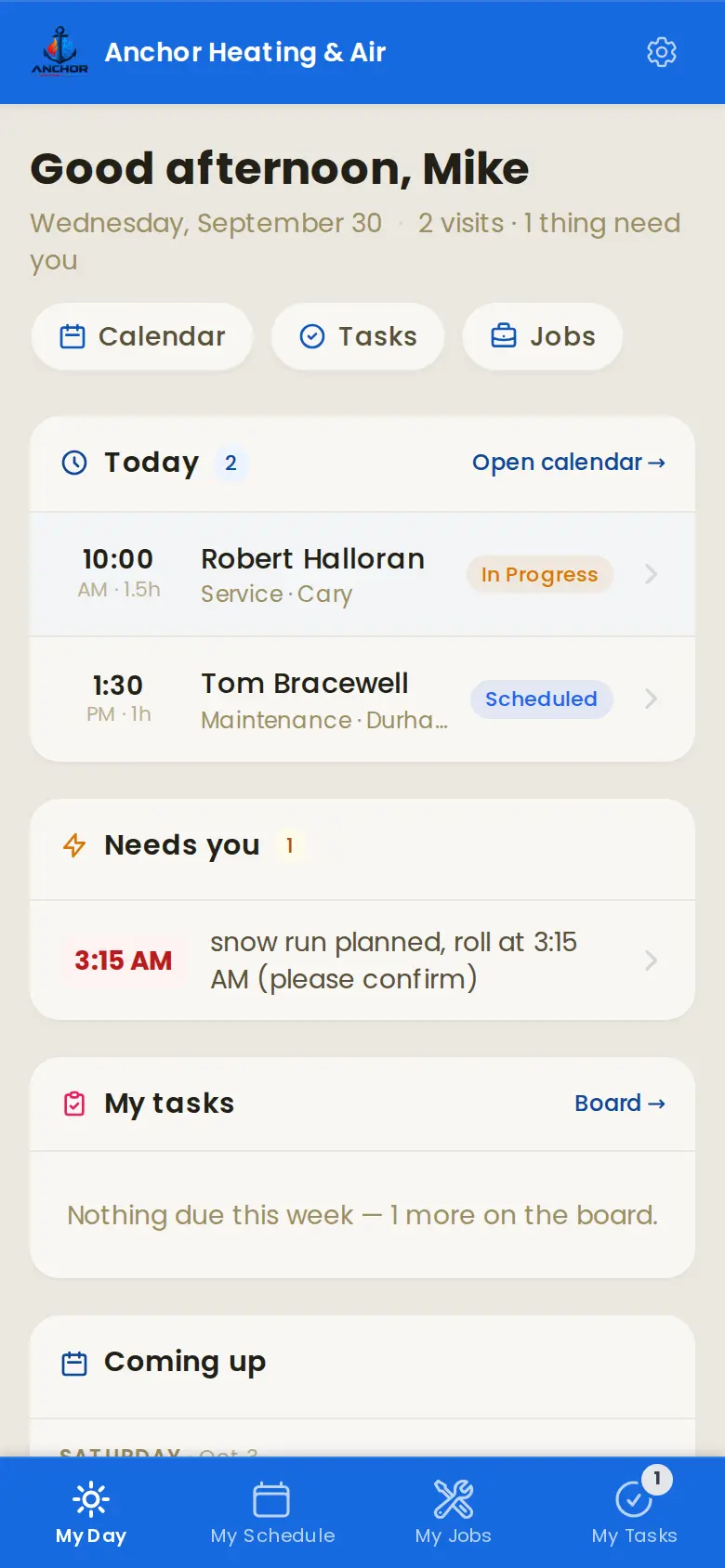
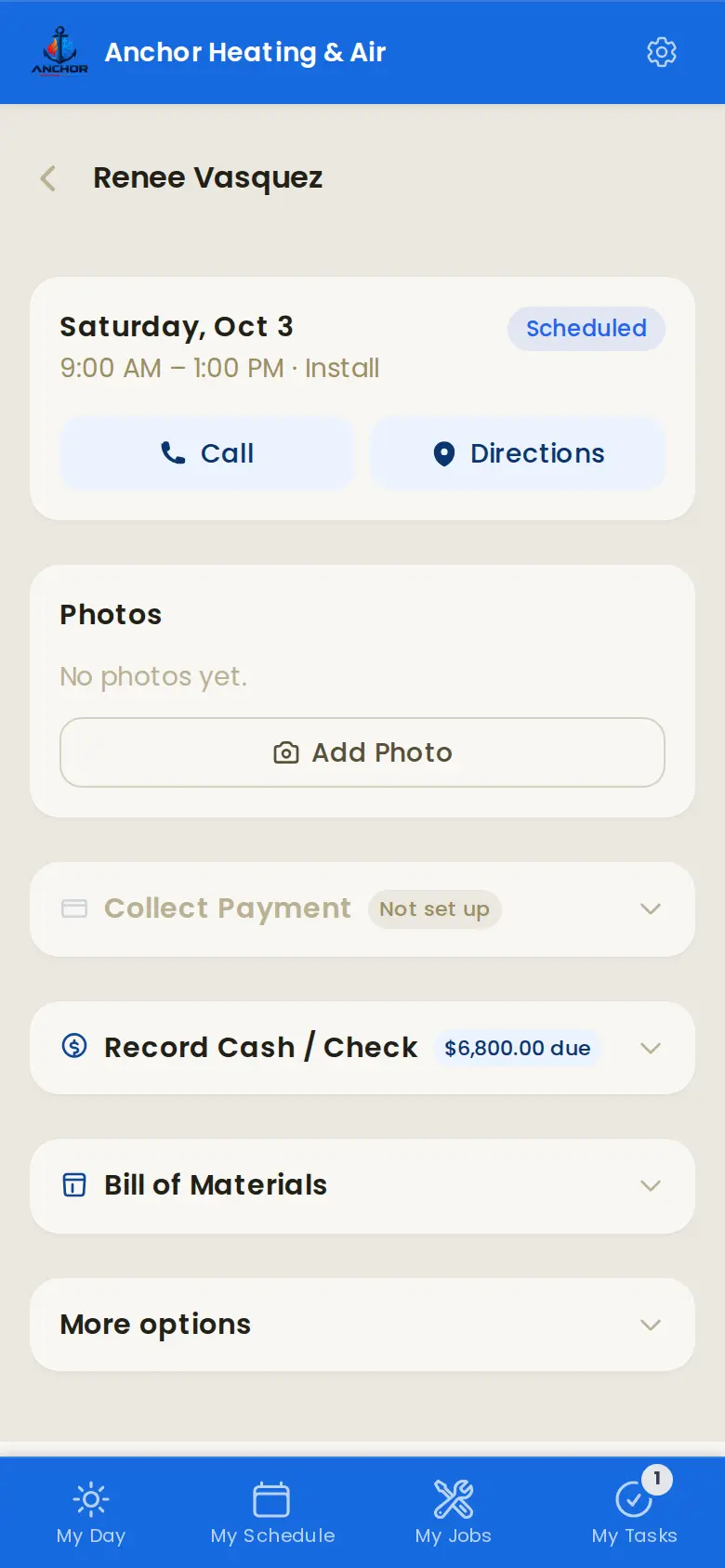
Nothing to install. His visits in order, with Robert Halloran's in progress and Tom's next, one tap for directions, the notes from last time. He clocks in, does the work and marks it done.
-
52:25 pmCustomer
Paid in the driveway
Mike takes the card on his phone through your own Stripe account, or the office sends the invoice later. Either way the payment lands in QuickBooks.
PaidReceipt for Tom Bracewell$185.00Paid byCard, on siteRecorded inQuickBooksDrawing of a payment receipt.
-
65:30 pmOffice
You see the whole day
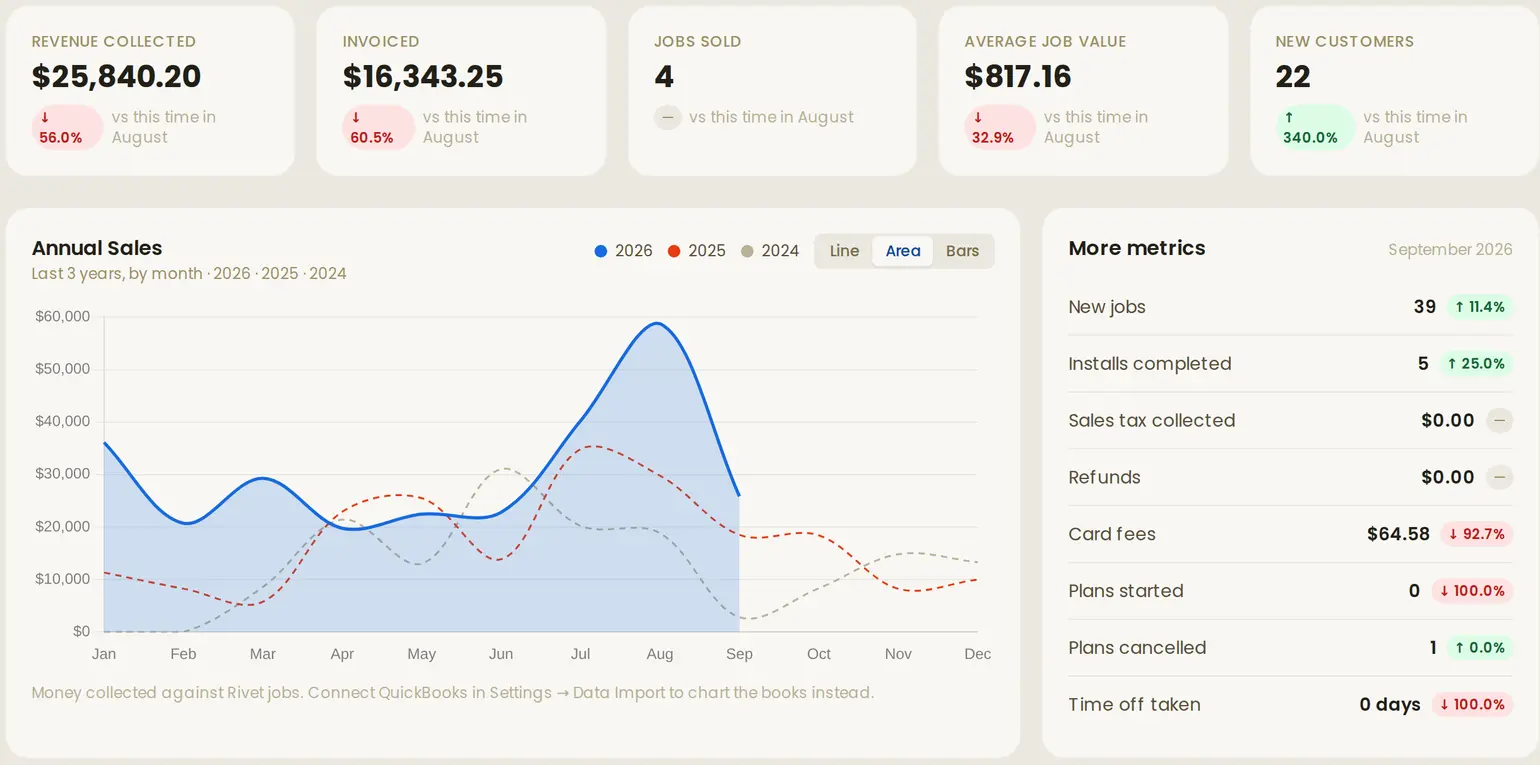
What came in, what's still open and how the month compares with last month, from the office or the couch.
Software your techs will actually open.
Most field apps get installed, ignored, and the crew goes back to texting the office. Vane's crew side is built for one hand, in a truck, between jobs.
- Nothing to installIt opens in the phone's browser. No app store, no updates to chase.
- A username, not an emailCrew sign in with a name you give them. No company email accounts needed.
- Today firstTheir visits in order the moment they open it, and the one in progress on top.
- One tap to call or driveThe customer's number and directions are right on the job.
- Photos and notesBefore and after shots on the job, and the notes from last time.
- Clock in, get paidPunch in and out, take the card, mark it done, ask for a day off.
You won't need a manual.
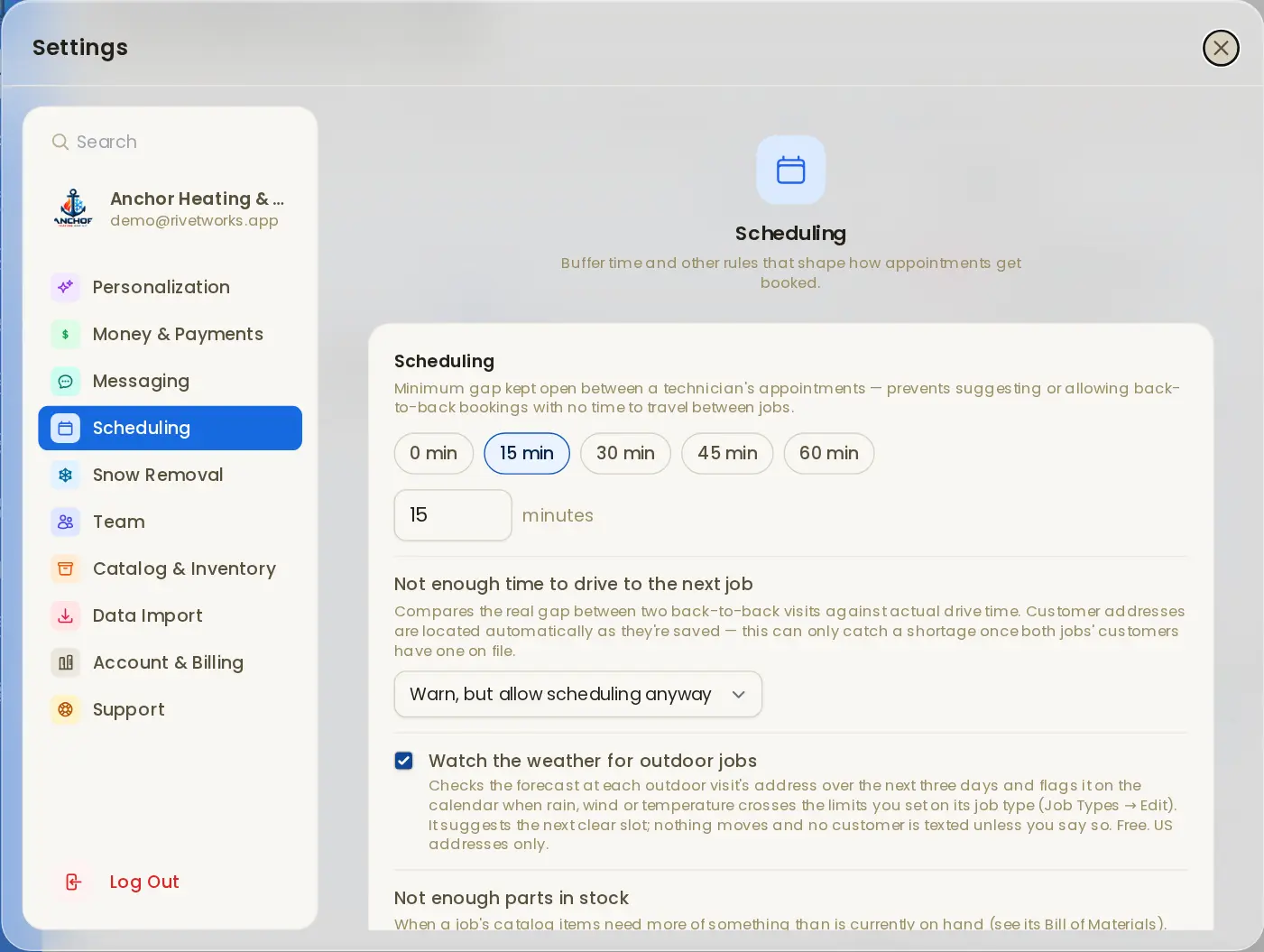
Every setting is in one place and says what it does in a plain sentence, so you can set Vane up the way your shop runs without a training call.
- Search any setting. Type "buffer" or "tax" and go straight to it.
- Each choice explains itself. Warn, block or allow, with a line on what that means for your crew.
- Change it once. It applies to everyone in the business right away.
Switching takes an afternoon.
You shouldn't have to retype a customer list to try new software, so we do the moving.
- 1
Send what you have
An export from Jobber or Housecall Pro, a spreadsheet, or connect QuickBooks and Google Calendar directly.
- 2
We bring it in
Customers and upcoming appointments, checked with you rather than dumped in.
- 3
Your crew logs in
On the phones they already carry. If they can use a calendar, they can use Vane.
Everything is in the one plan.
- Scheduling and dispatchDay, week and month boards, crews and drive-time checks.
- CustomersEvery visit, note, photo and piece of equipment on one page.
- Quotes and invoicesBuilt from the parts and labor on the job.
- Card paymentsThrough your own Stripe account, on site or online.
- QuickBooks OnlineInvoices go over, and payments recorded there come back.
- InventoryWhat's on the shelf, what each job needs and what to reorder.
- Service plansRecurring visits and billing for maintenance customers.
- Time clock and time offPunches, timesheets and requests from the crew's phones.
- Texts and remindersAppointment texts and emails under your business name.
- ReportsRevenue, jobs and technicians, or straight from your books.
Weather-aware rescheduling.
Roofers lose days to rain, awning crews to wind, painters to cold. Vane watches the forecast for you. It's off until you turn it on, and free on every plan, founders included.
- You set the limits. Rain for roof jobs, wind for awnings, temperature for paint, per job type.
- Flagged ahead of time. Every hour Vane checks the National Weather Service forecast at each outdoor job's address, up to three days out, and flags the visit on your calendar when it crosses your line.
- You decide. It suggests the next clear slot; nothing moves and no customer is texted until you say so.
Drawing of a flagged visit. In Vane it shows on the calendar with Move and Keep it buttons. US addresses.
Get on the list before November 15.
Vane opens on November 15. Shops that sign up before then pay $169 a month for their first year instead of $199. There's no card to enter until launch.
Put the group text down.
Look around the live demo first if you like. It's the real app, with a real HVAC company's week in it.